Goal Tracker
Why a cute goal tracker feels better than an Excel sheet
Be honest: when did you last open an Excel sheet to track your personal goals? For most people, the answer is never — or maybe once, for about three days, before the file disappeared into a folder you've never touched since. The problem isn't your discipline. The problem is the tool.
The real reason goal trackers fail
Spreadsheets and data-heavy apps are built for analysis, not motivation. They ask you to manage your goals like a project manager manages a budget — entering values, reviewing numbers, updating formulas. That kind of friction works against you every single day.
The real question isn't "how do I track this?" It's "how do I actually want to show up for this, every day?" A goal tracker that feels like admin work will always lose to literally anything else. What you need isn't more data fields — it's a better feeling.
Why visual progress works
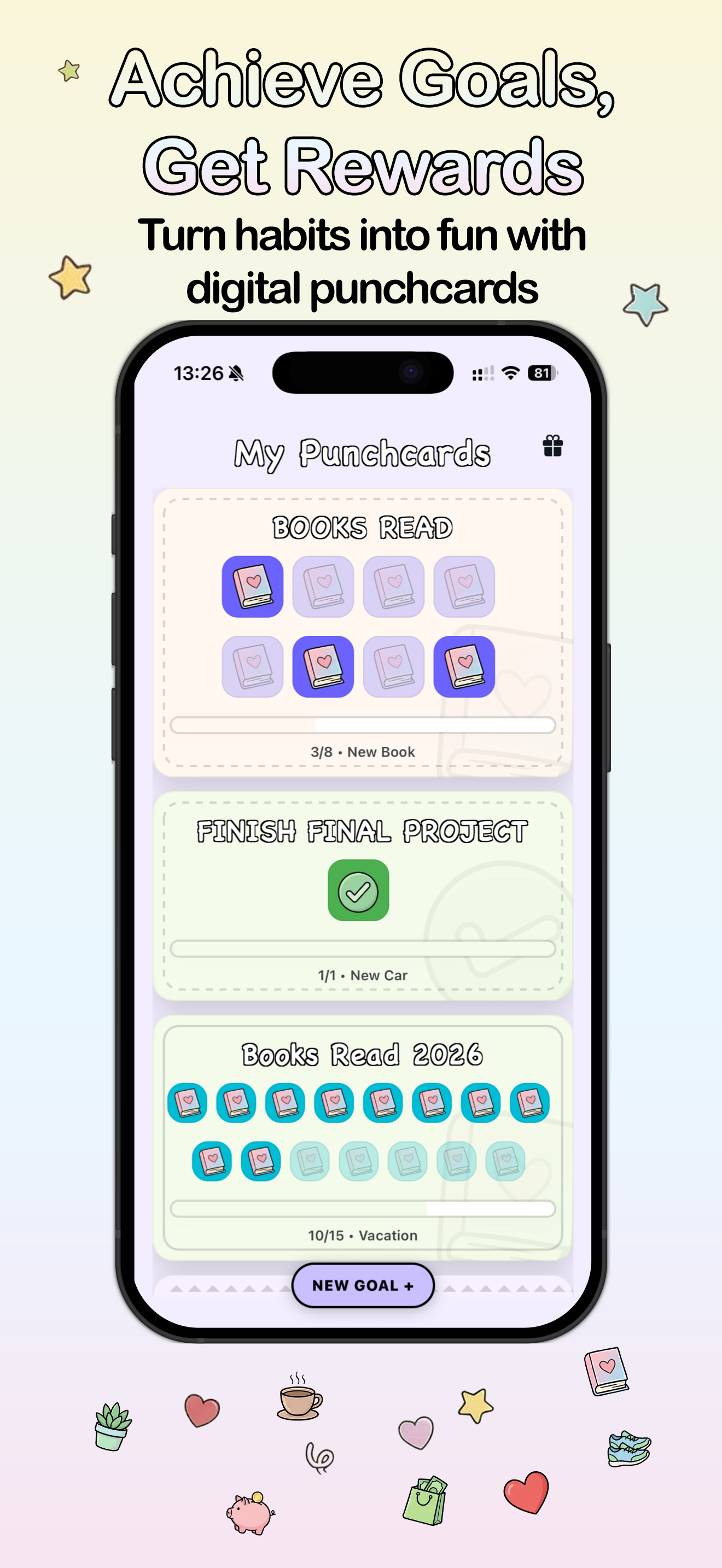
There's a reason loyalty stamp cards work, gold stars work, and progress bars on profile completion screens work. Visible progress activates a different part of your brain than a number in a cell. When you see something filling up — slots, stamps, spaces — your brain reads it as momentum. That feeling is genuinely motivating, and it doesn't require willpower to sustain.
A punch card turns a goal into a visible ritual. Each completed action fills a slot. You can look at your card and immediately understand where you stand — not because you parsed a spreadsheet row, but because you can see it. Three slots punched. Five to go. That is information that arrives in a fraction of a second and feels good to look at.
That clarity is something a table will never replicate. The best goal tracker is one that makes your progress feel real and satisfying, not one that stores it accurately.
Make it yours in under a minute
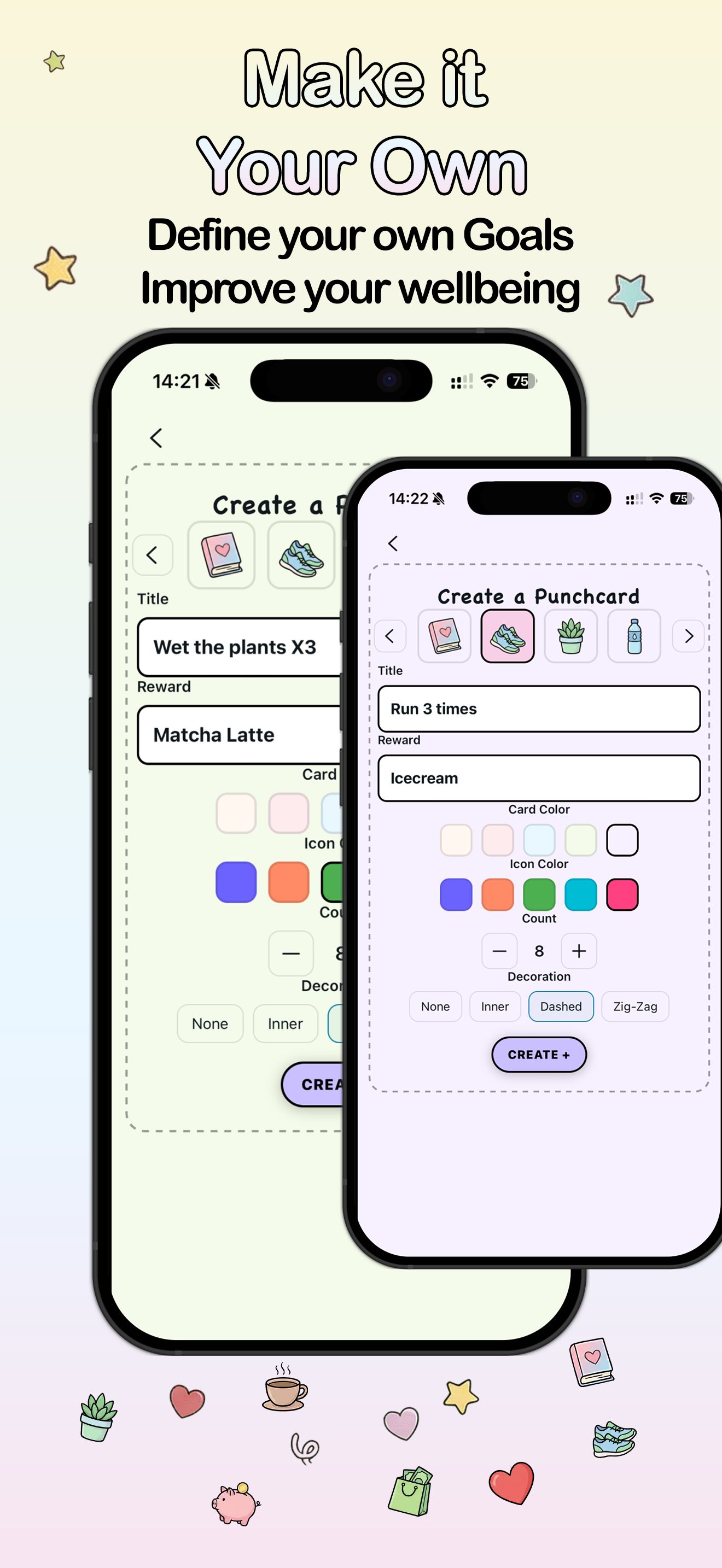
Choose an icon, pick a card color, set a count, and name your reward. Punchcard lets you create a new goal card in about 30 seconds — no categories, no templates, no spreadsheet columns to fill. Just a clear, cute card waiting to be punched.
Try it free →The widget is not optional
Even the best habit tracker fails if you forget it exists. This is the real reason behind most "seven-day streak, then nothing" habit app stories: the app itself was fine. It just wasn't present enough.
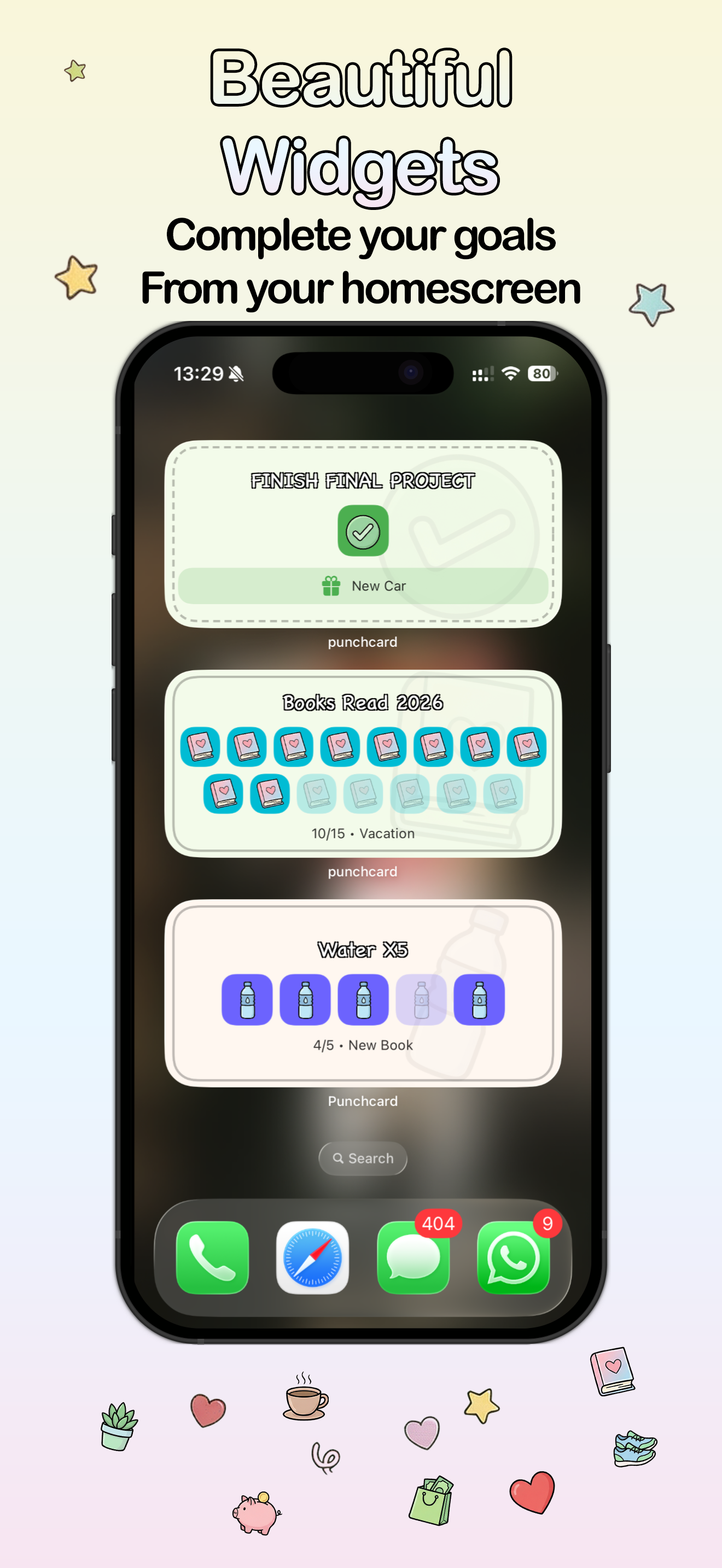
A home screen widget changes everything. When your punch card lives on your iPhone home screen, you see it every time you pick up your phone — which means dozens of times a day. That ambient awareness, not notifications or reminders, just quiet presence, is one of the most effective nudges for daily behavior. Out of sight is genuinely out of mind. A widget fixes that.
With Punchcard, the widget isn't decoration. You can punch the card directly from it, without opening the app. The whole habit loop — see the card, tap to punch, move on — takes under three seconds. That's roughly the right amount of friction: almost none.
Rewards make the loop worth completing
Every punch card in Punchcard has a reward attached to it — something you define. A new book. A coffee date. A rest day. A small purchase you've been putting off. The reward isn't just motivation; it makes the goal feel personal. You're not logging a metric. You're working toward something you actually want.
This is what separates goal tracking that works from goal tracking that feels like homework. When the card is full, you earned something. Then you start a new card. The loop continues without ever requiring willpower — because you're not forcing yourself to be disciplined. You're playing a game with stakes you actually care about.
Cute design is a strategy, not just aesthetics
There's a practical reason a cute goal tracker outperforms a plain one: you're more likely to open an app that you enjoy looking at. That sounds obvious, but nearly every productivity app ignores it entirely. They optimize for features and treat design as polish.
Punchcard is built to look like something you'd keep on your home screen. Soft, warm colors that echo the cards themselves. Playful icons you can customize. A design that feels handmade and personal, not clinical or corporate. It doesn't look like a task manager. It looks like a little ritual space that belongs to you. And that difference in feel is exactly what determines whether you'll come back tomorrow.
Who uses Punchcard?
Punchcard is for anyone tracking countable goals — things you want to do a specific number of times. Read 12 books this year. Run 3 times a week. Drink water 5 times a day. Save money 20 times. Finish a project. Meditate 30 days in a row. If you can count it, you can put it on a card.
It's especially resonant with people who've tried other habit apps and found them too complex, too boring, or too much like yet another thing to maintain. Punchcard is deliberately simple — because simplicity is what keeps habits alive past week two.
Try Punchcard for free
Set up your first punch card in under a minute. No account needed. Available free on the App Store for iPhone.
Download on the App Store →